Connect your Strike Wallet
How to connect your Strike wallet?
Strike provides a gateway to Bitcoin, offering a seamless platform for saving, spending, sending, and receiving money globally. By leveraging Bitcoin and the Lightning Network, Strike enables fast, low-cost transactions without borders, overcoming traditional financial barriers. The platform allows for easy conversion and management of funds, embodying a rule-based monetary system that promotes financial freedom and efficiency.
For more information about Strike, you can visit their website using the following link https://strike.me
Now, it’s time to connect your Strike Wallet with Tiankii. Follow these steps:
Access Tiankii Dashboard
- Open your web browser and log in to the Tiankii Dashboard using your credentials

You can access your Tiankii Dashboard by clicking on the following link https://pay.tiankii.com/
Navigate to Store Settings
- Once you are logged in, navigate to the left panel, find the “Settings” option in the menu, and click on it
- Click on “Connect Your Wallet” to begin the process of linking your Strike Wallet with Tiankii
- Search for "Strike Wallet" and click on “Setup” to proceed with the configuration
Connect your Strike Account
- To continue the configuration, open the Strike App, go to your profile, and copy your username
- Go back to the Tiankii Dashboard and paste your username into the input field to link your Strike Wallet with your account

Verify that your username is correct to avoid errors in the funds being sent
Complete Integration
- Once authorized, Tiankii will establish a connection with your Strike Wallet.
- You may receive a confirmation message indicating that the integration was successful
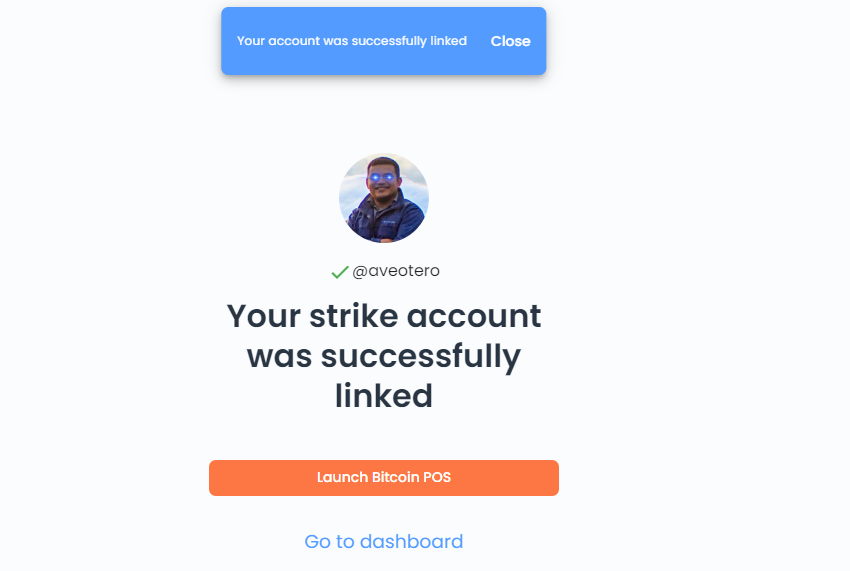
Access Wallet Features
- After a successful integration, you should now be able to access various wallet features and functionalities within the Tiankii Dashboard
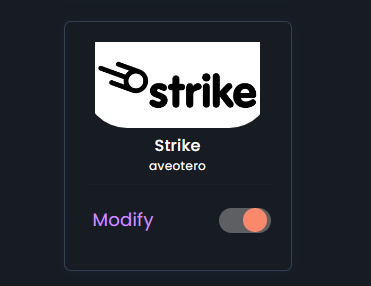
This integration may enable smoother transactions and streamline your merchant activities.
You can start receiving bitcoin payments professionally through multiple payment tools. All your payments will arrive directly and in real time to the wallet you have linked in our system. Tiankii Pay is a platform created to receive Bitcoin payments that helps businesses accept payments anywhere, such as:
- Points of sale (POS) for smartphones and computers.
- Sub-Accounts or Multiple Branches.
- Payment Links and buttons.
- eCommerce Connectors: Shopify, Woocommerce, Cloudbeds, Prestashop.
- Sales Reports, Dashboards & KPIs.
- Invoicing / Accounting tools.
- Multiple Channels For Instant Payment Notifications: Email, Telegram, IOT, Whatsapp.
- Bitcoin, Lightning payments.
- Bitcoin Payments API.
When a payment is made to your account, we will record it and generate your own invoices so you can keep track of your business.
Remember that Tiankii Pay will not have access to your account or see your bitcoin. In case of any problem linking your Strike Wallet account, do not hesitate to contact us at https://www.tiankii.com/contact or through our social networks @TiankiiApp.

Congratulations! You've successfully connected your Strike wallet