See what each plan includes
See what each plan includes
Plans lists the price, the included volume, the points of sale, the users and the eCommerce connectors of each tiankii plan.
Applies to
- The Merchant Dashboard on the web, at pay.tiankii.com.
- A store on Freemium, Solo, Starter, Business or Scale.
Before you start
- You are signed in.
- You can open Subscription.
Open Plans
- Open your avatar. In User Profile, press Manage Subscription.
- On Freemium the header also has Upgrade. That button opens Plans.
- On the Subscription page, press Change Plan. On Freemium the button on the current plan is Upgrade.

Every plan is paid from your credit balance. A card is optional.
The same notice tells you to leave a paid plan from the Overview tab. Freemium has no tabs. Cancel Subscription is on the Subscription page. What cancel does is in Pay your plan and read your invoices.
Read the five cards
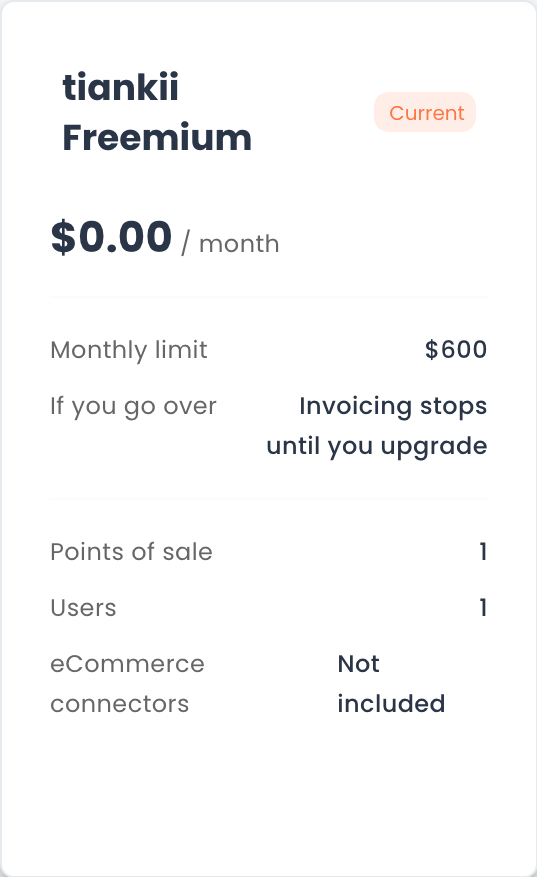
Freemium names the volume row Monthly limit. A paid plan names it Included volume. It is the same figure: the month's volume with no extra charge.
| Plan | Price per month | Included volume | Overage charge | Points of sale | Users | eCommerce connectors |
|---|---|---|---|---|---|---|
| tiankii Freemium | $0.00 | $600 | No overage charge | 1 | 1 | Not included |
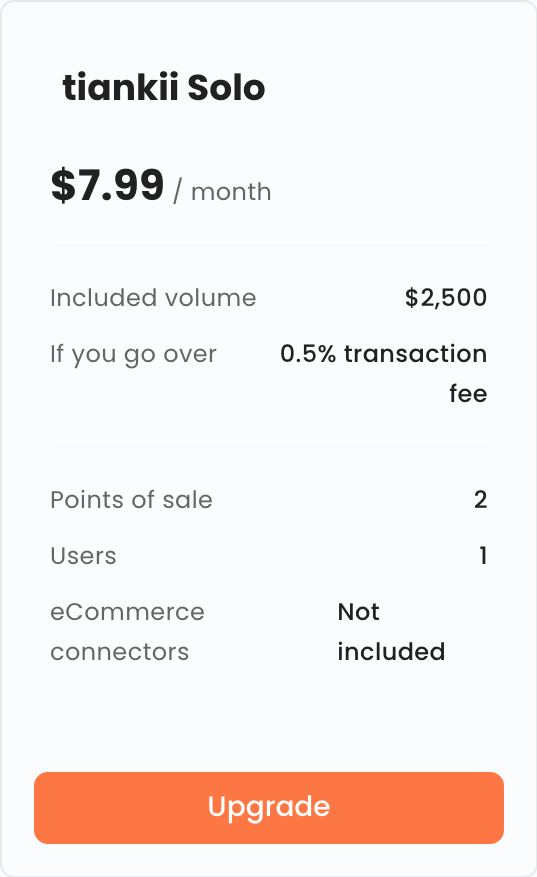
| tiankii Solo | $7.99 | $2,500 | 0.5% | 2 | 1 | Not included |
| tiankii Starter | $19.00 | $8,000 | 0.35% | 5 | 5 | Included |
| tiankii Business | $100.00 | $50,000 | 0.25% | No plan cap | No plan cap | Included |
| tiankii Scale | $500.00 | $250,000 | 0.15% | No plan cap | No plan cap | Included |
Business and Scale have no plan cap on points of sale or on users.
On Freemium, the row If you go over shows the words Invoicing stops until you upgrade. That is the text on the card. What the limit does is in See how included volume is counted.
On a paid plan that row shows a percentage and the words transaction fee. Solo shows 0.5% transaction fee. The table calls that row the overage charge.
The overage charge is a charge for using the dashboard, billed separately. It is not a commission on your bitcoin and is not deducted from the payments you receive.
The Terms use this example. A store on the Starter plan that transacts $10,000.00 in the month would pay: $19.00 for the plan + ($10,000.00 − $8,000.00) × 0.35% = $26.00. This example describes the calculation; it does not mean the charge is being collected right now.
The overage charge only starts being collected after we notify you under Section XIII of the Terms, and never for months before that notice.
Prices and rates do not include taxes.
The rates in force are the ones published on tiankii.com. A rate change is announced ten days in advance and never applies retroactively to a period you've already paid for.
Current, Upgrade and Downgrade
Your plan shows Current. A higher plan shows Upgrade. A lower plan shows Downgrade.
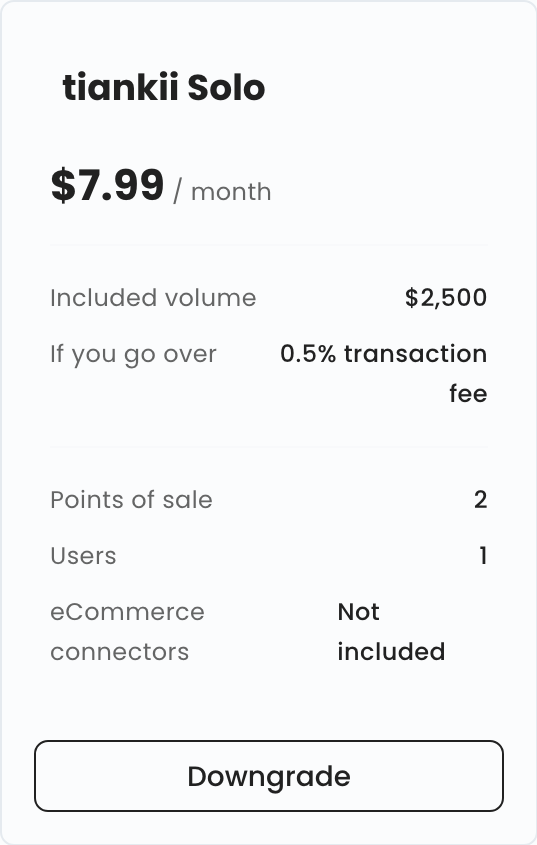
From a paid plan, Plans does not list Freemium. This guide does not describe what Downgrade does or when it starts.
What you should see
You see your plan marked Current, and the price and the included volume of the plans on the page.
If something does not match
| What you see | What it means | What to do |
|---|---|---|
| Four cards, not five | The store is on a paid plan | Freemium is not listed from a paid plan |
| Downgrade on a lower plan | The button is on the card | This guide does not describe that button |
Questions
I am on a paid plan and I do not see Freemium. Plans does not list it from a paid plan.
Is the percentage a commission on my bitcoin? No. The overage charge is not a commission on your bitcoin and is not deducted from the payments you receive.