Pay your plan and read your invoices
Pay your plan and read your invoices
A paid plan is paid from your credit balance. The Invoices tab is what tiankii bills you. A payment request you create for a customer is a different thing, even when the screen says invoice.
Applies to
- The Merchant Dashboard on the web, at pay.tiankii.com.
- Invoices and Credits are on a paid plan. Freemium has neither tab.
Before you start
- You are signed in.
Open Subscription
- Open your avatar. In User Profile, press Manage Subscription.
- A paid plan shows the tabs Overview, Invoices and Credits.

Freemium has no tabs. The current plan shows Upgrade instead of Change Plan, and it does not show Next billing or Monthly fee.
On a paid plan, Current plan shows the plan name, Active, Change Plan, Term started, Term ends, Next billing and Monthly fee.
Credit balance and card
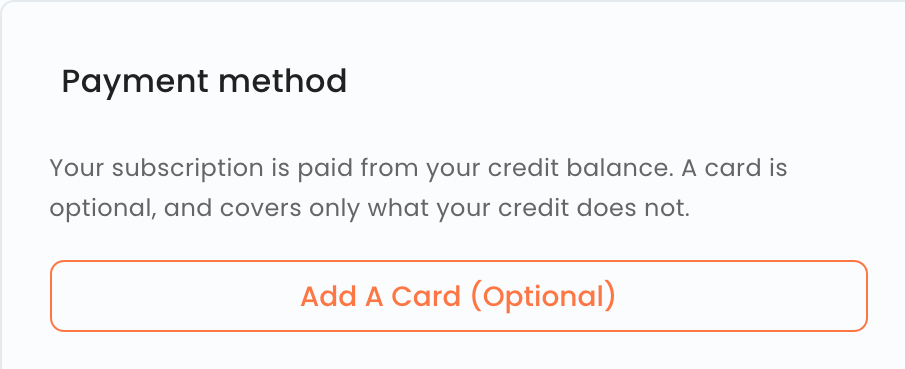
The Payment method card says: Your subscription is paid from your credit balance. A card is optional, and covers only what your credit does not.
Your credit balance is only used to pay for tiankii. It is not a deposit, earns no interest, and is not part of the payments you receive from your customers.
Press Add A Card (Optional) only if you want a card. This guide did not open that page.
If your credit does not cover the invoice and you have no card on file, the invoice stays pending.
An unpaid invoice can only limit dashboard features. It never affects your wallet, your bitcoin or your keys: tiankii has no access to them.
Add credit
- On Overview, press Add Credit.
- Pick $10.00, $25.00, $50.00 or $100.00, or type a USD amount.
- Continue To Payment goes to the payment. Cancel closes the dialog. This guide stops before the payment page.
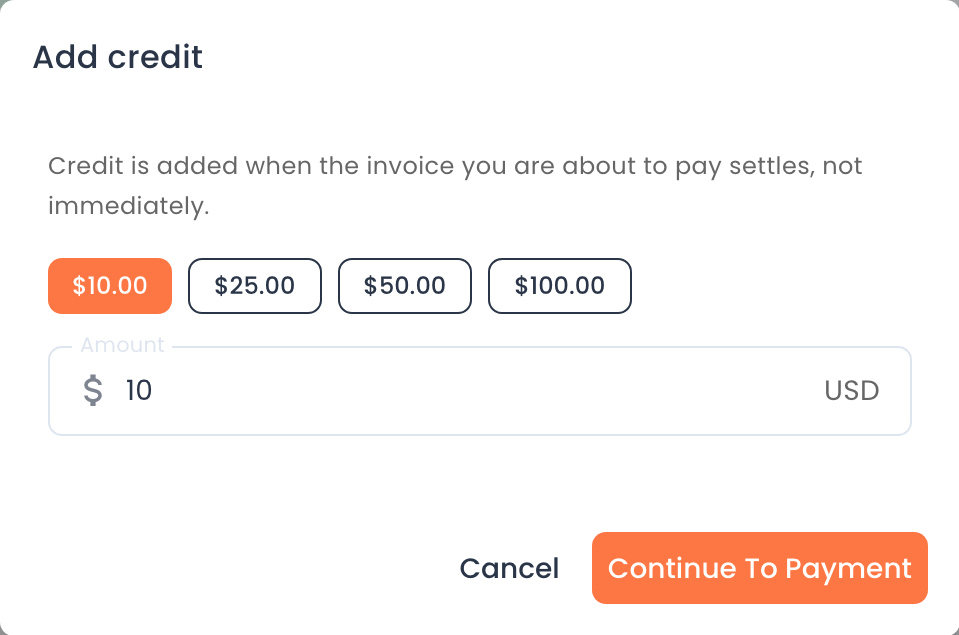
Credit is added when the invoice you are about to pay settles, not immediately.
Invoices and credits
Open Invoices. The columns are Invoice, Type, Date, Due, Total, Balance and Status. These are tiankii's invoices to you.
Open Credits. The heading is Credit history, with the line Every top-up you paid for, plus any credit a plan change returned to you. The columns are Number, Date, Amount, Unapplied and Status. This guide does not explain that calculation.
Change plan
Press Change Plan, then Upgrade on a higher plan. The dialog says This upgrade applies immediately, and that upgrading needs credit or a card for the plan price. Cancel closes it. This guide does not describe the amount due on that dialog.
Cancel
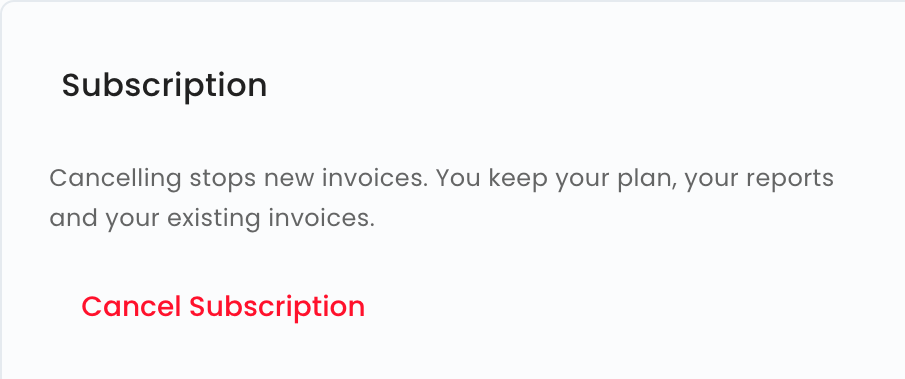
The card says Cancelling stops new invoices. In this guide that means new payment requests you create for a customer. tiankii's invoices are the Invoices tab.
You can cancel at any time.
Cancelling your subscription means you can no longer create new payment requests. Your dashboard, your reports and your existing payment requests keep working. Any tiankii invoices already outstanding remain due.
Cancel Subscription also appears on Freemium. If you cancel, you can no longer create new payment requests, even though the plan is free. If you want to take payments again later, write to us at soporte@tiankii.com.
If your account has a promotional period, we tell you in writing when it ends and what price applies afterwards. You can end your subscription before that date without paying the plan price.
No change to rates, plans or volumes applies retroactively to a period you've already paid for.
Your reports stay available. Reading them is in Sales reports.
What you should see
On a paid plan you see the three tabs, the credit balance and the payment method card. On Freemium you see the current plan and Cancel Subscription.
If something does not match
| What you see | What it means | What to do |
|---|---|---|
| No Invoices tab | The store is on Freemium | Those tabs are on a paid plan |
| The credit balance did not change after Continue To Payment | Credit waits until that invoice settles | The dialog states that. This guide does not open the payment page |
Questions
I cancelled on Freemium and I want to take payments again. Write to soporte@tiankii.com.
Does an unpaid tiankii invoice touch my bitcoin? No. It can only limit dashboard features.