Charge with a card
Charge with a card
A card payment is not a bitcoin payment. You connect your own N1co account or your own Stripe account from the Credit Card tab, and that provider settles the charge.

A card charge is made on your own Stripe or N1co account and is settled by that provider under your agreement with them. It does not reach your bitcoin wallet.
Who this is for
- The Merchant Dashboard on the web, at pay.tiankii.com.
- A store whose owner can open the connect catalog.
- An N1co for Business account, or a Stripe account, that is already yours.
Before you start
- You can sign in to the N1co portal or the Stripe Dashboard and copy a key.
- You are not connecting a bitcoin wallet on this tab. Card money does not arrive there.
- This article does not describe how a card charge looks on the point of sale or in Transactions.
Open the Credit Card tab
- Open pay.tiankii.com and press Connect Wallet in the header. The catalog opens.
- Open the Credit Card tab. Two cards are listed, N1co and Stripe. Each says Credit Card, Not connected yet and Connect.
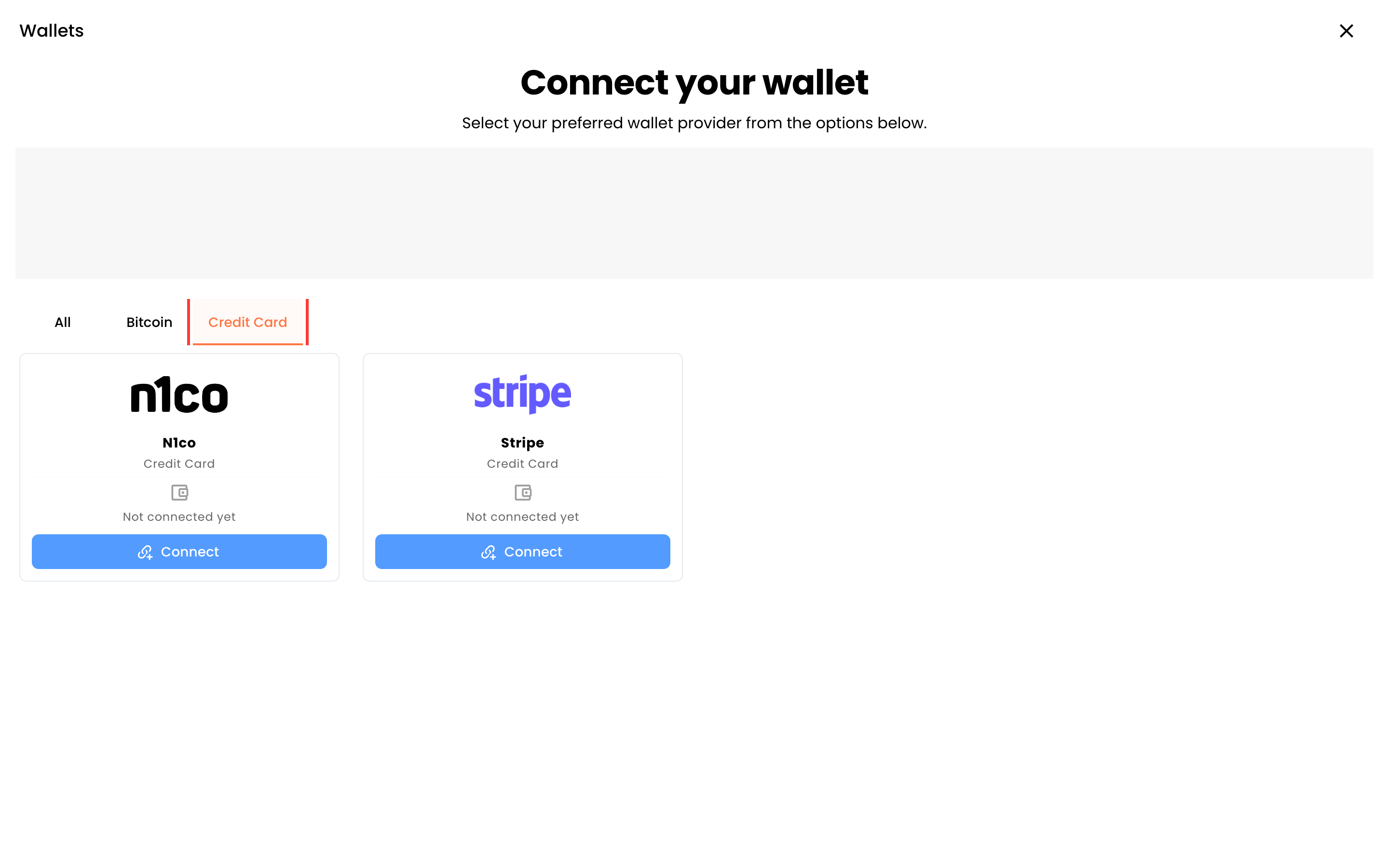
The tab sits in the same catalog as the bitcoin wallets. A card on this tab is still a card charge. Stripe and N1co charge their own fees under your agreement with them.
Connect N1co
- On the N1co card, press Connect.
- The page title is Step 1 of 2: Checkout Link Configuration. The field is N1co Checkout API Key. The screen links to the N1co portal so you can copy that key. Paste it into the field. Leave the field empty in any screenshot you share.
- The next title is Step 2 of 2: Webhook Configuration. Webhook URL is read-only. Copy it from the screen into N1co. Do not type a URL of your own. Then paste N1co Webhook Secret Key from the N1co portal.
- Press Continue.
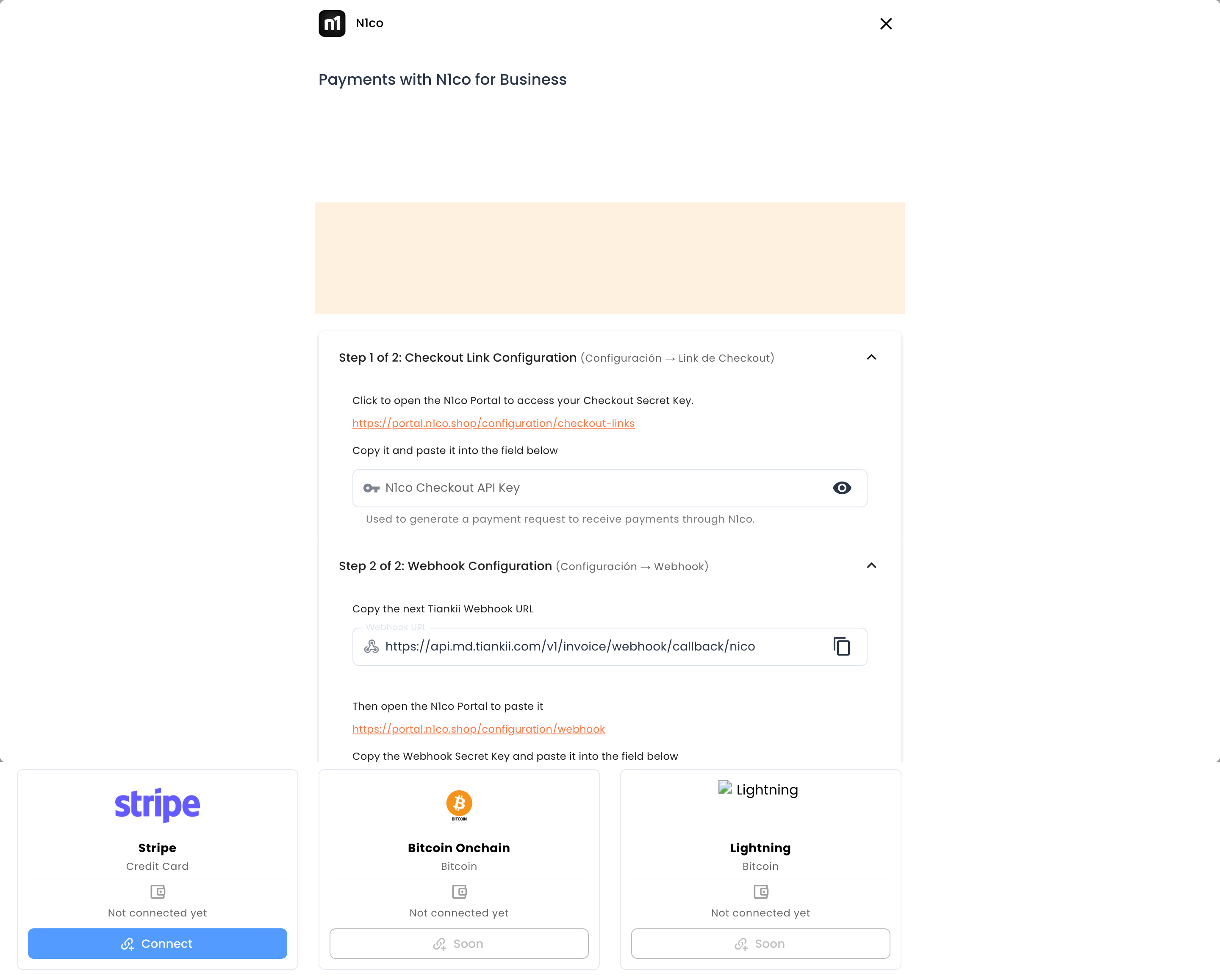
The key you paste gives access to your Stripe or N1co account. tiankii stores it and uses it to create the checkout for each charge and check whether it was paid. If you revoke it at the provider, card charges stop working until you replace it.
Connect Stripe
- On the Stripe card, press Connect.
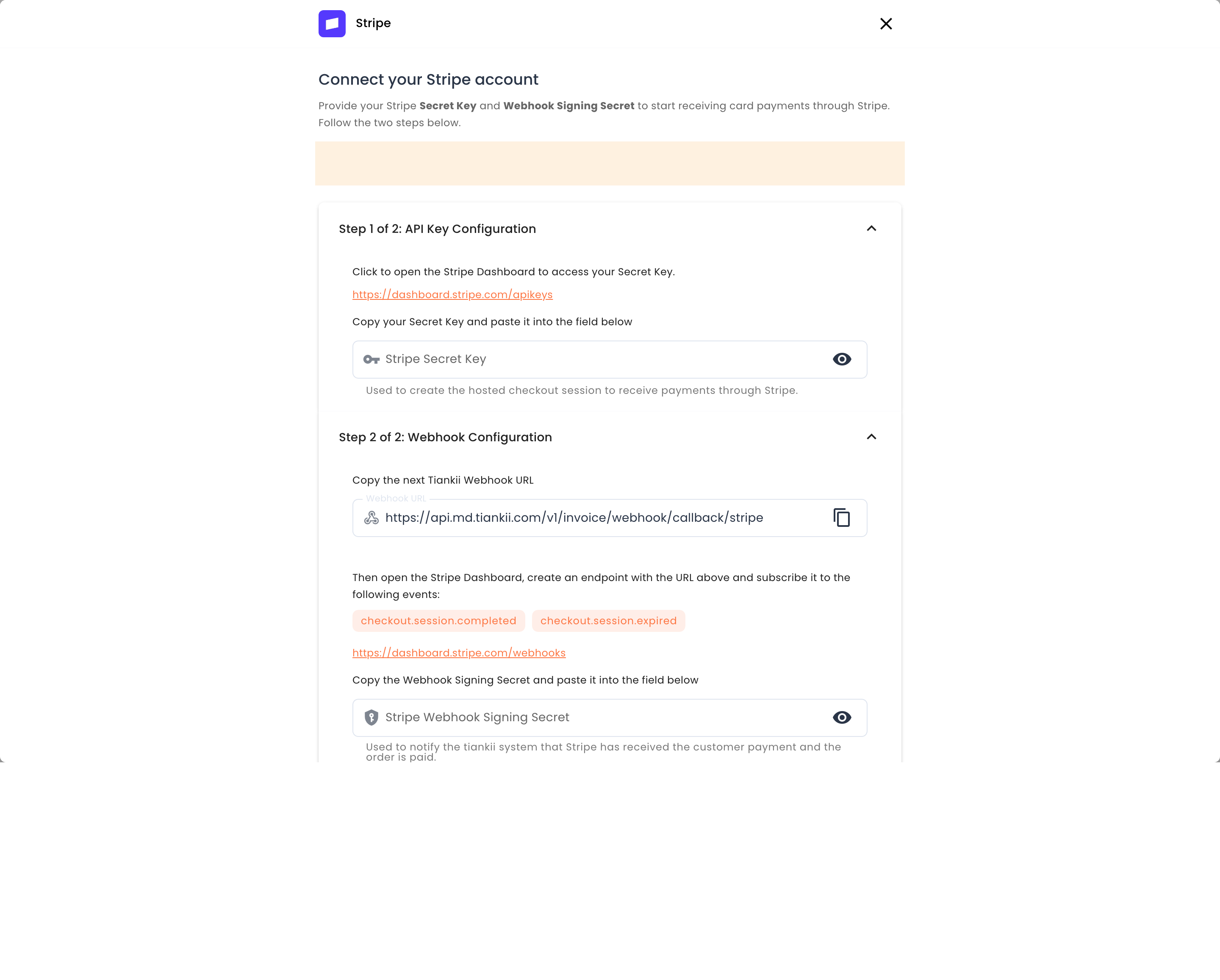
- Step 1 of 2: API Key Configuration asks for Stripe Secret Key. The screen links to the Stripe Dashboard API keys page. Paste the secret key of your own Stripe account.
- Step 2 of 2: Webhook Configuration shows a read-only Webhook URL. In the Stripe Dashboard, create an endpoint with that URL and subscribe it to checkout.session.completed and checkout.session.expired. Paste Stripe Webhook Signing Secret into the field on this form.
- The form says By connecting your account you agree to Stripe Terms of Service. Press Continue.
The screen also recommends two-factor authentication on your tiankii login. That control is in your account security settings.
What you should see
Each card you finish no longer says Not connected yet. The charge itself is created in N1co or in Stripe. tiankii uses the key you pasted to open the checkout and to check whether that checkout was paid. This article stops there. It does not describe the point of sale, the Transactions list, payout timing, or a dispute.
If something fails
| What you see | What it means | What to do |
|---|---|---|
| Card charges stop after you rotate a key at N1co or Stripe. | tiankii still has the previous key. | Paste the new key on the same form. Until you do, card charges stop. |
| The Webhook URL field does not accept typing. | That field is read-only. | Copy the value that is already there into N1co or Stripe. |
| You expected the money in the bitcoin wallet you connected. | A card charge is not bitcoin. | Read the sentence at the top of this article. The card provider settles it on your account with them. |
Questions
Whose Stripe account is charged? Yours. You paste your own secret key. Where the money settles is the sentence at the top of this article.
Does tiankii keep the key? Yes. What it does with that key is the sentence under the N1co steps.
What does the card company charge? Their own fees, under your agreement with them. This article does not state those amounts, and it does not say whether a card payment counts toward the included volume of your tiankii plan.